Product
Whistleblowing software with everything your internal reporting system needs
Línea Anónima brings the intake channel, the handling of each case and the register required by Law 2/2023 into one platform.
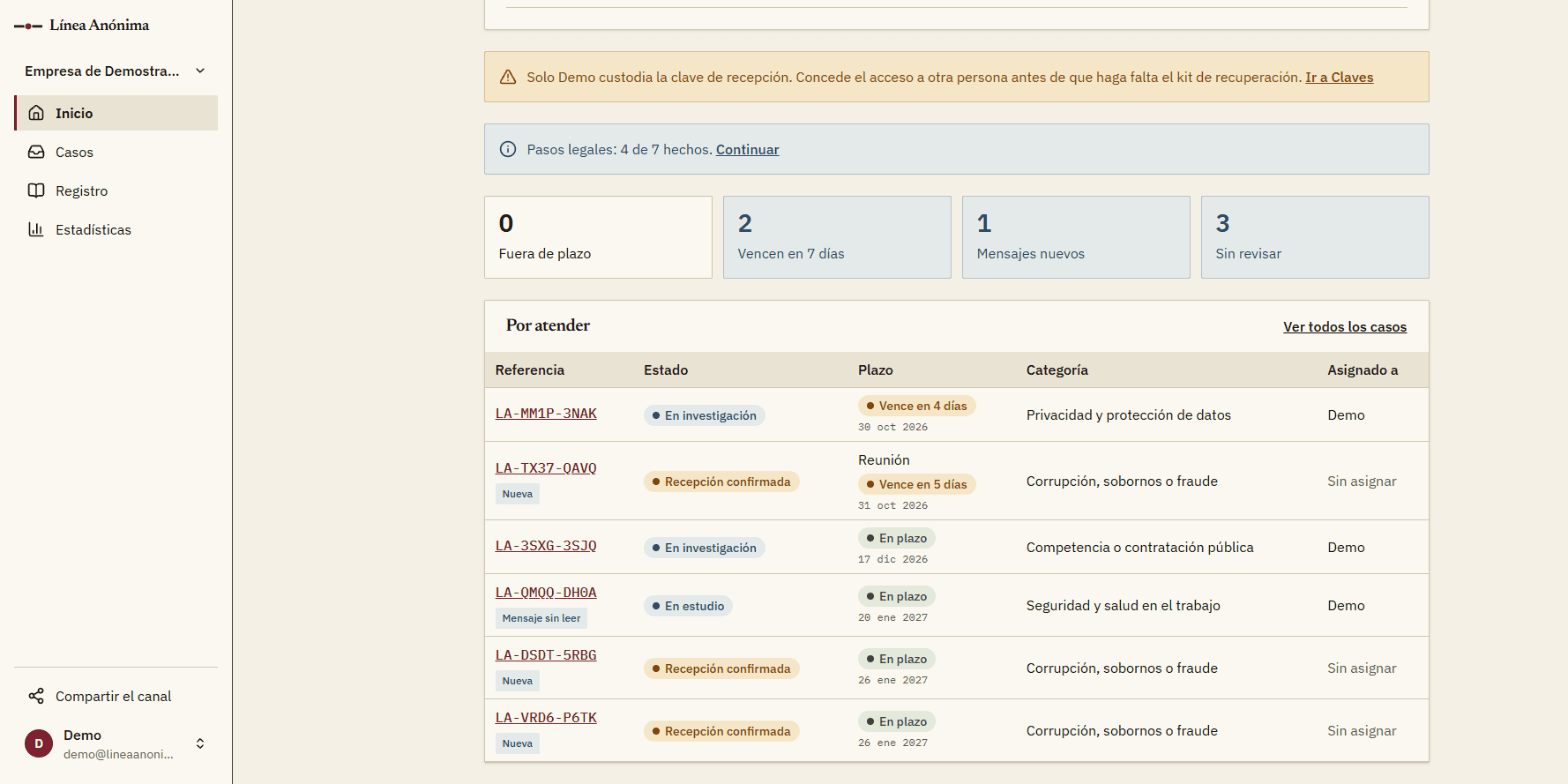
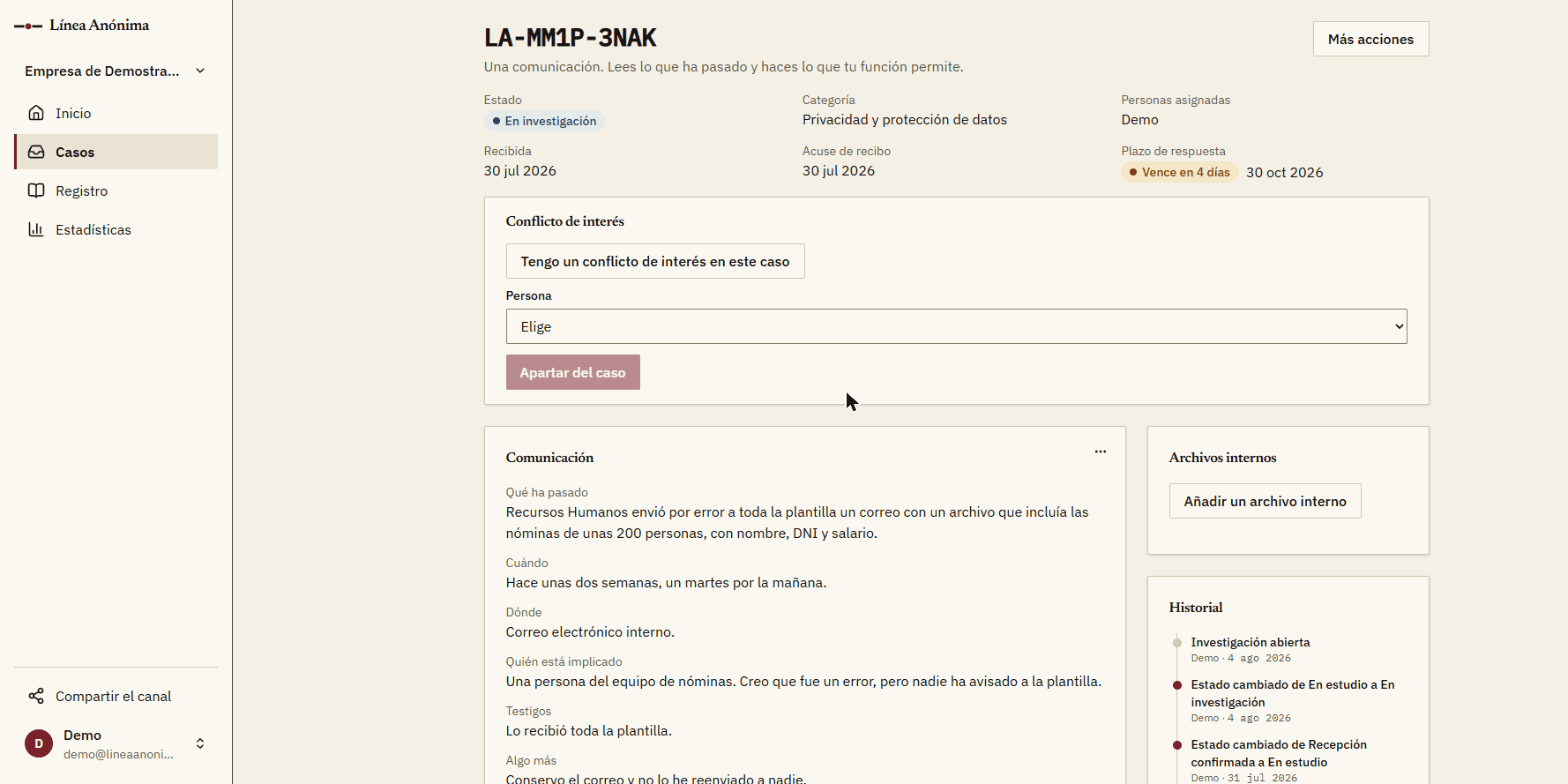
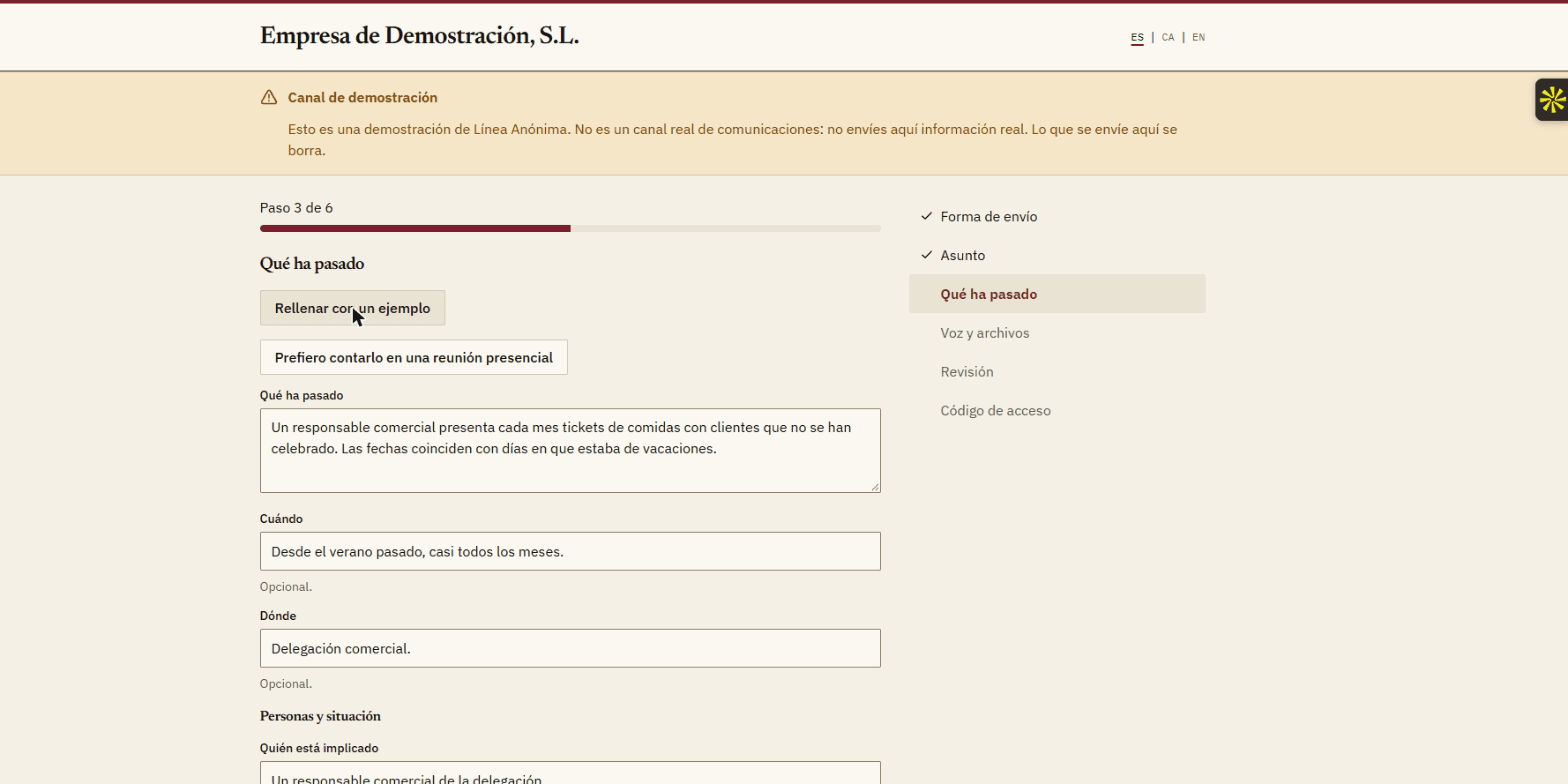
A tour of the platform
Real screenshots of the platform, with fictional demo data. The interface is shown in Spanish.
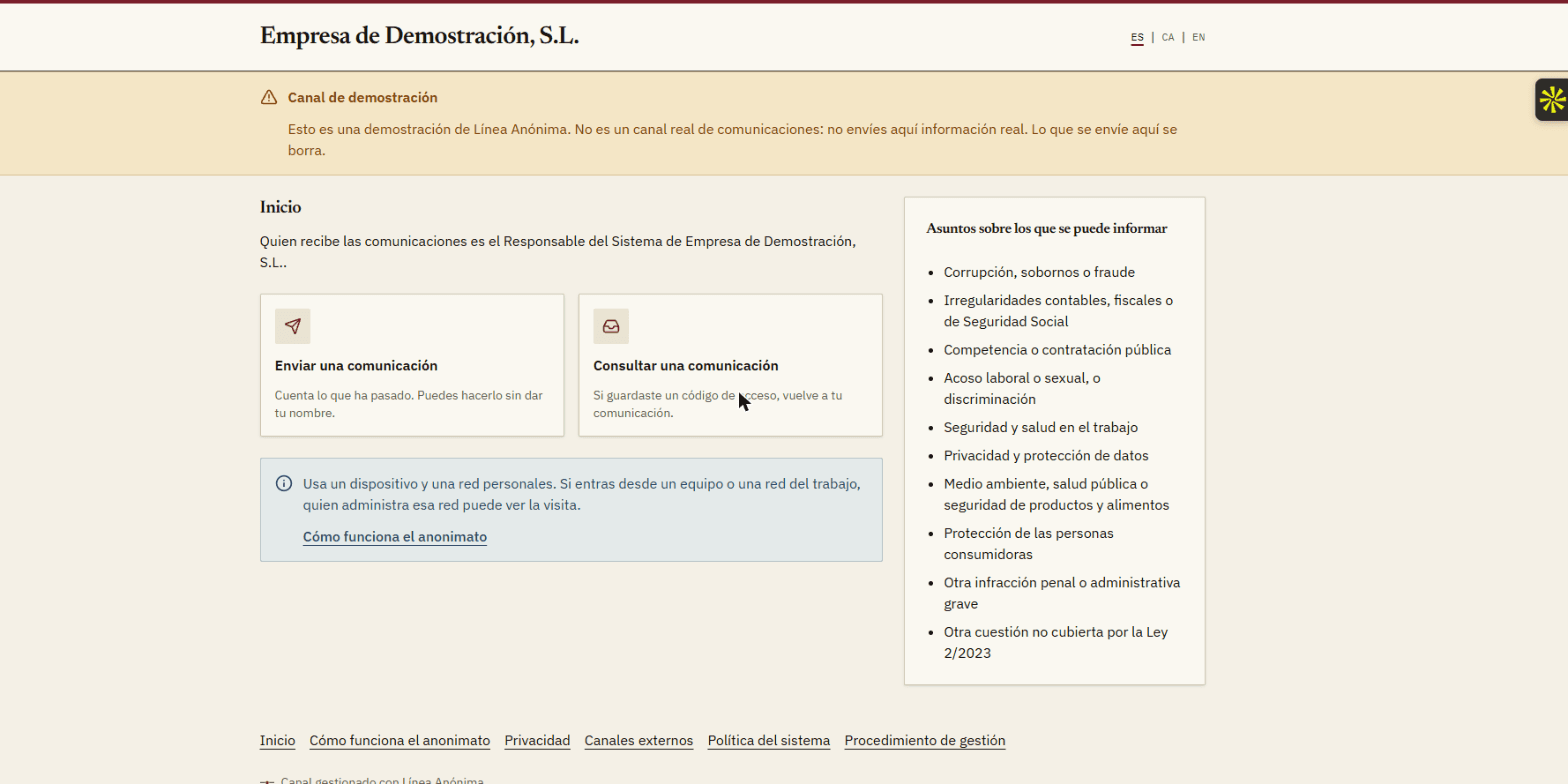
The reporter's page Demo data Reporters choose to send a report, without giving their name if they prefer, or to look up one with their access code. The page lists the matters and warns that a work network can see the visit.
Telling what happened Demo data A step-by-step form: how to send it, subject, what happened and, if they wish, when, where, who and witnesses. They can also ask for an in-person meeting.
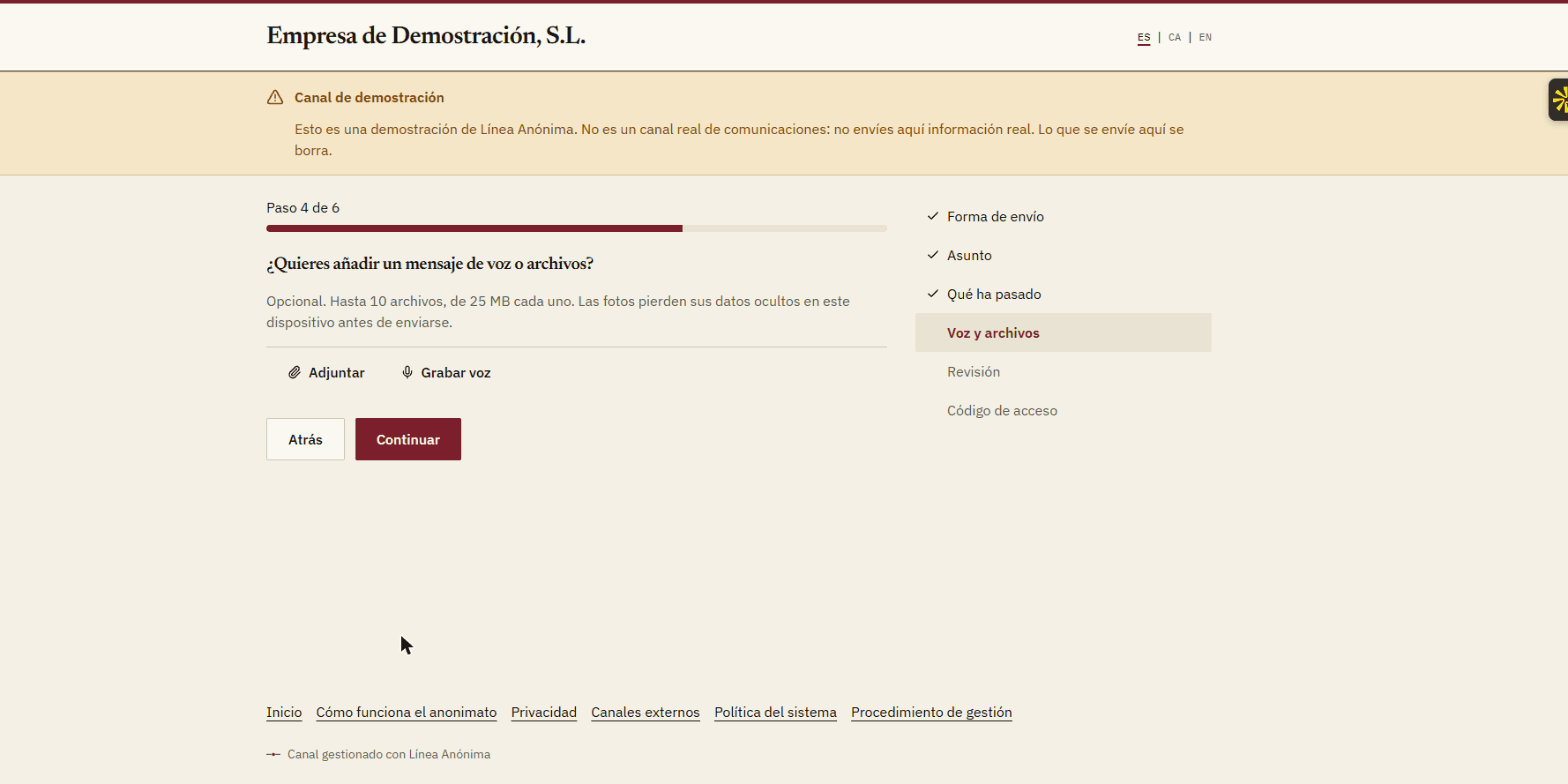
Voice and files Demo data Reporters can add a voice message and up to 10 files of 25 MB each. Photos lose their hidden data on the reporter's device before they are sent.
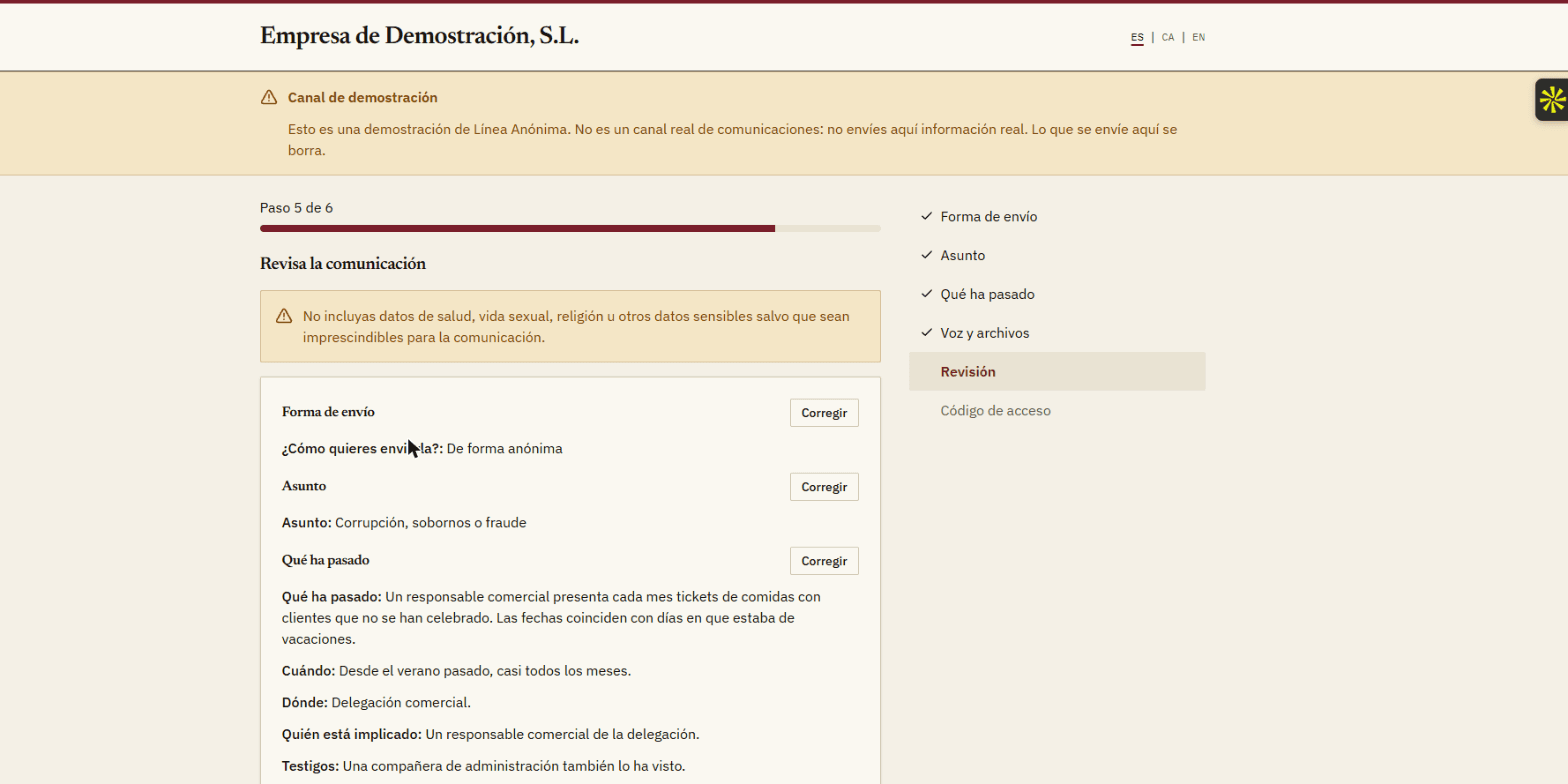
Review before sending Demo data Before sending, the reporter reviews each answer and can correct it. The platform warns them not to include sensitive data unless it is essential.
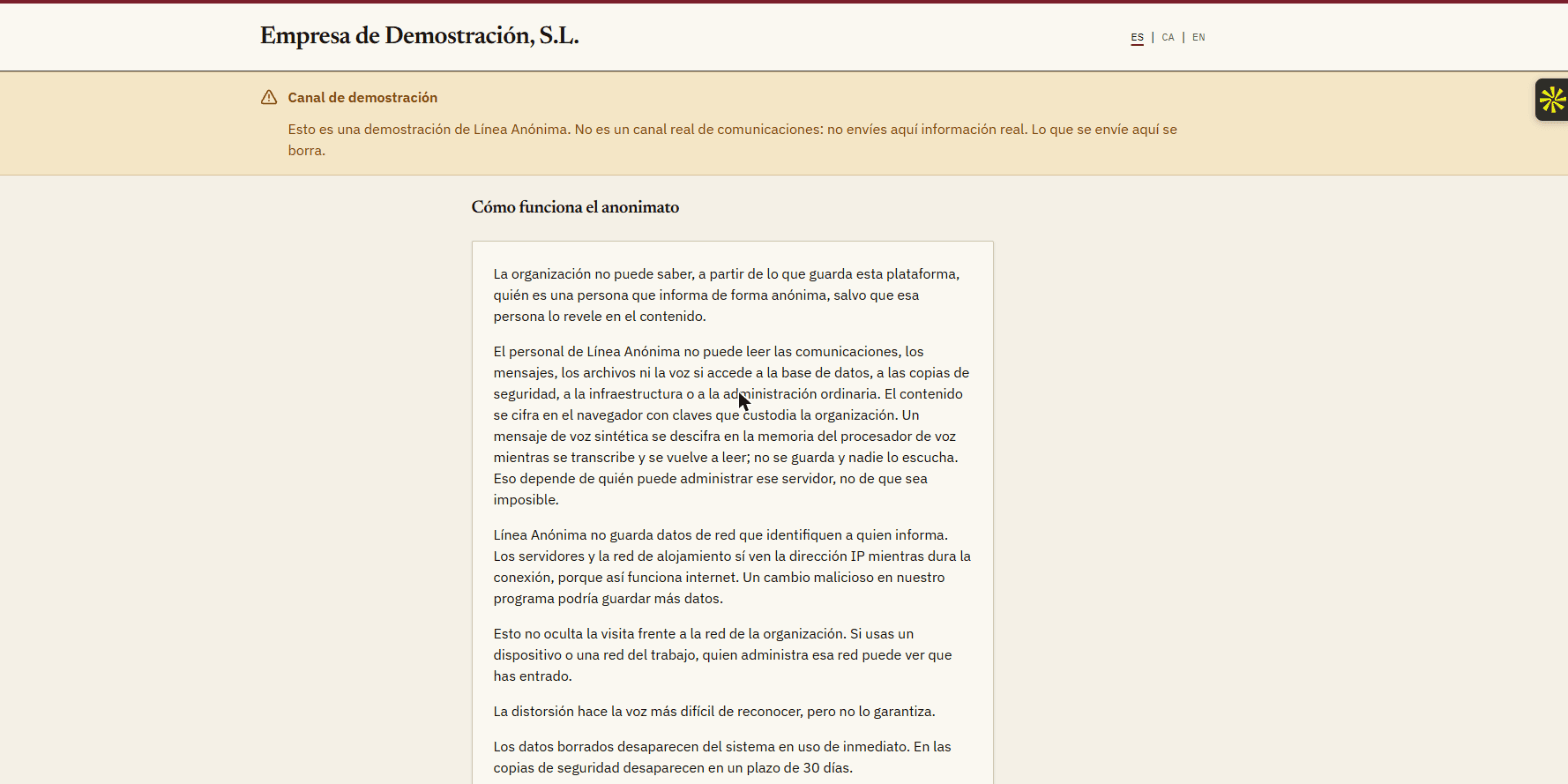
How anonymity works Demo data A page explains frankly what the platform protects and what it does not: for example, that a work network can see the visit and that voice distortion does not guarantee anonymity.
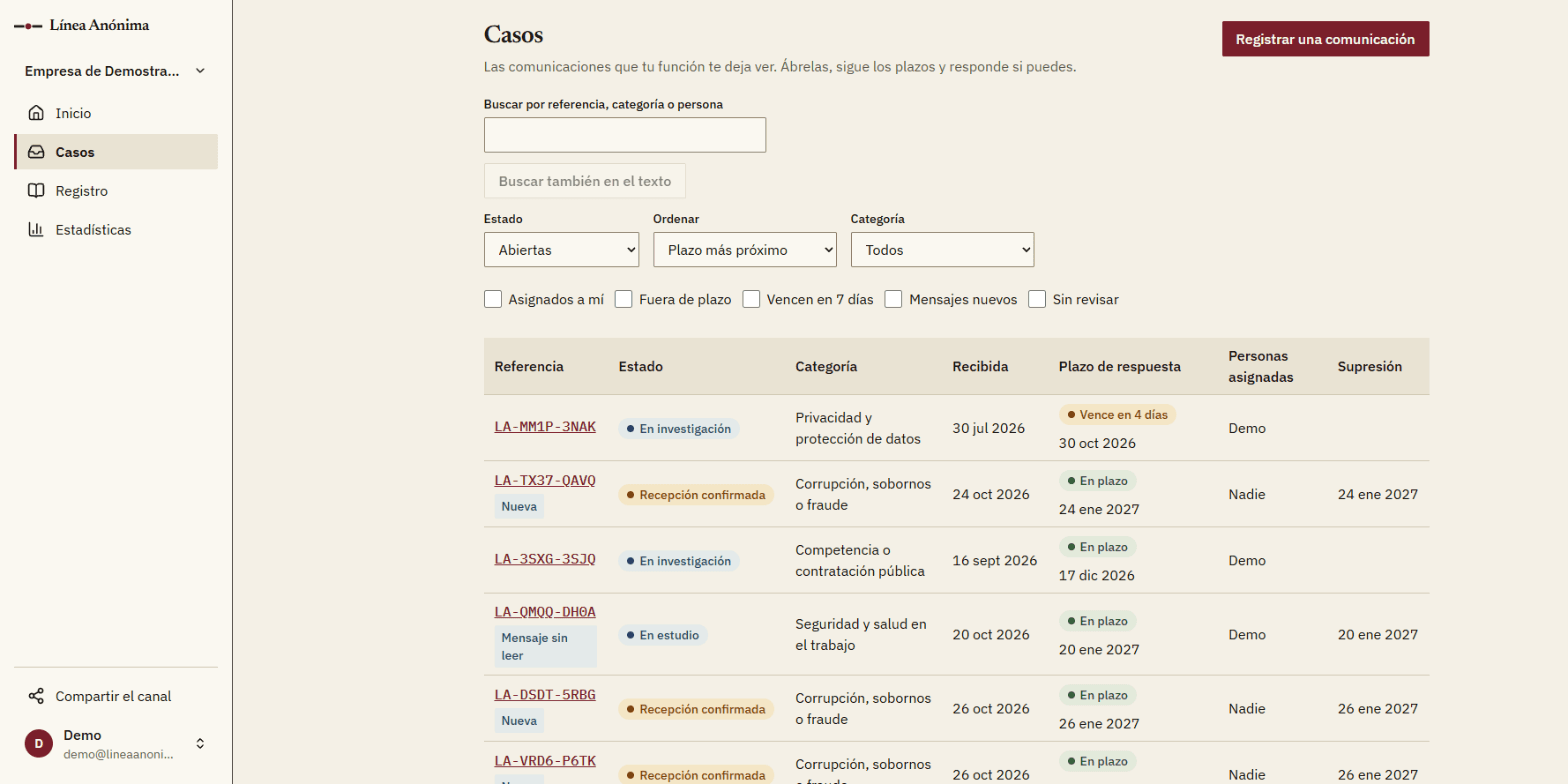
Cases Demo data Filter by status, deadline, category or assigned person, or search by reference. Each row shows the reply deadline and the date the content will be deleted.
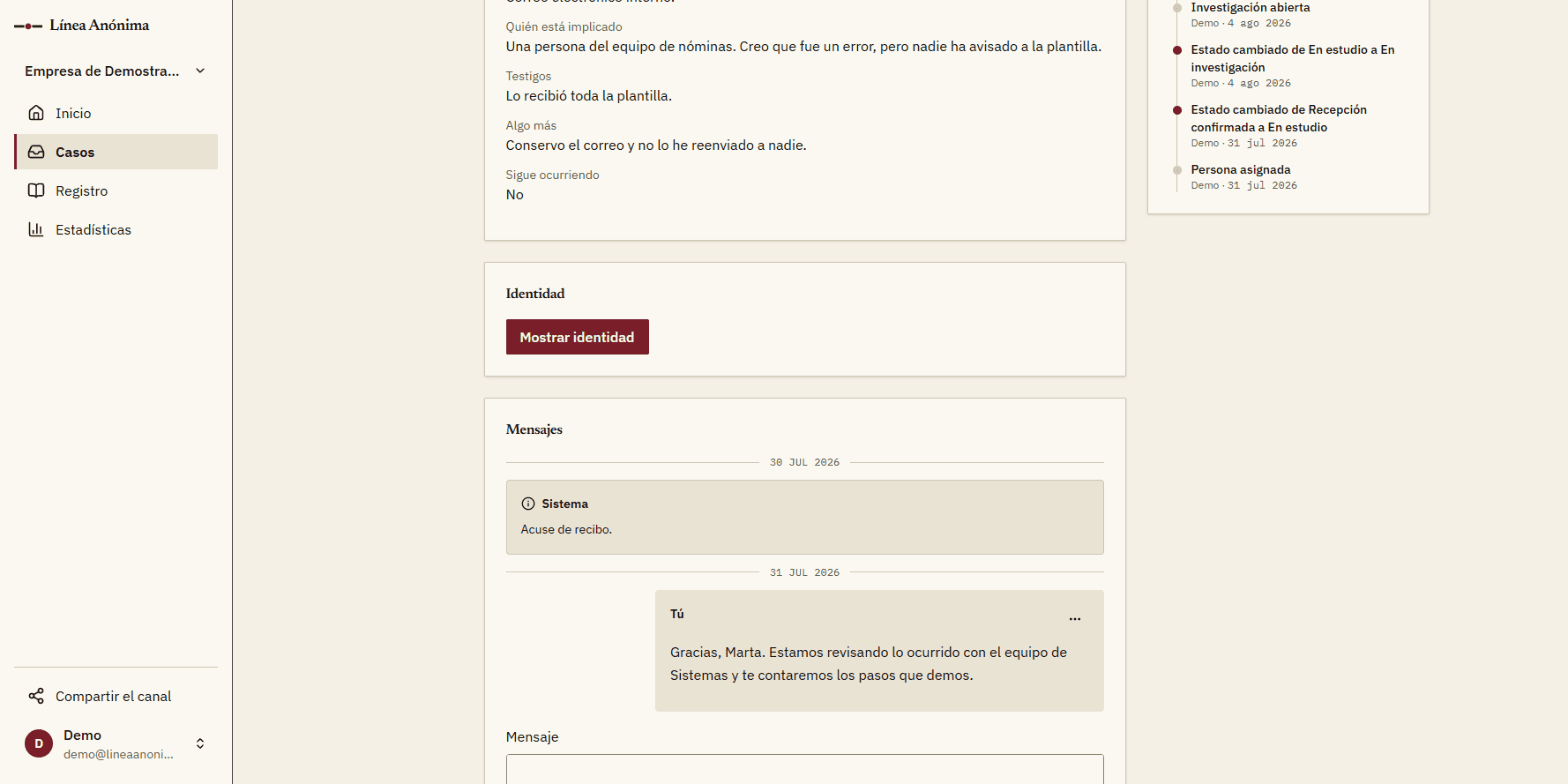
Messages and notes Demo data The acknowledgement and your replies to the reporter stay inside the case, next to internal notes and the history.
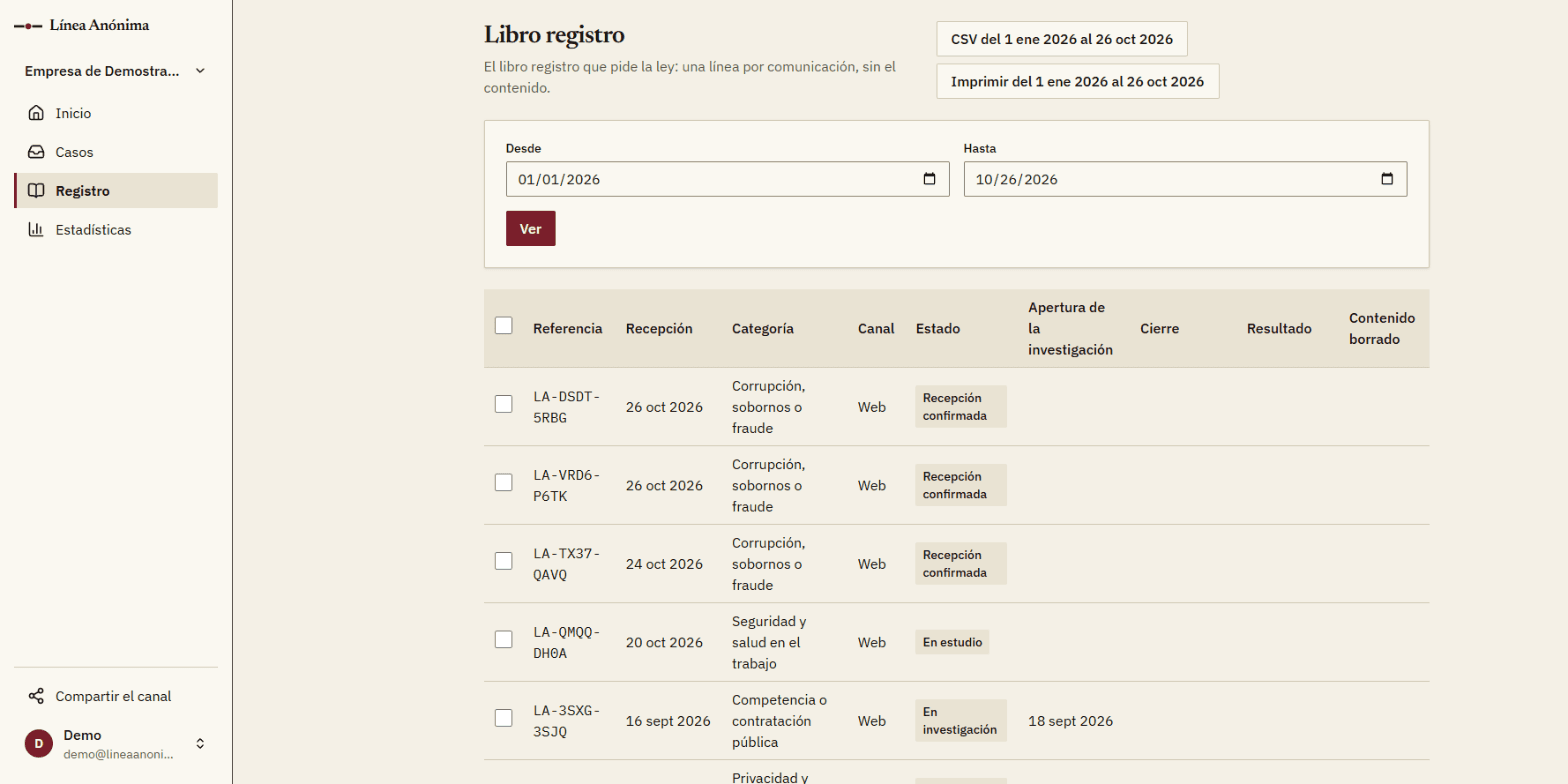
Register Demo data One line per report, without its content. Export it to CSV or print it, for the period you choose.
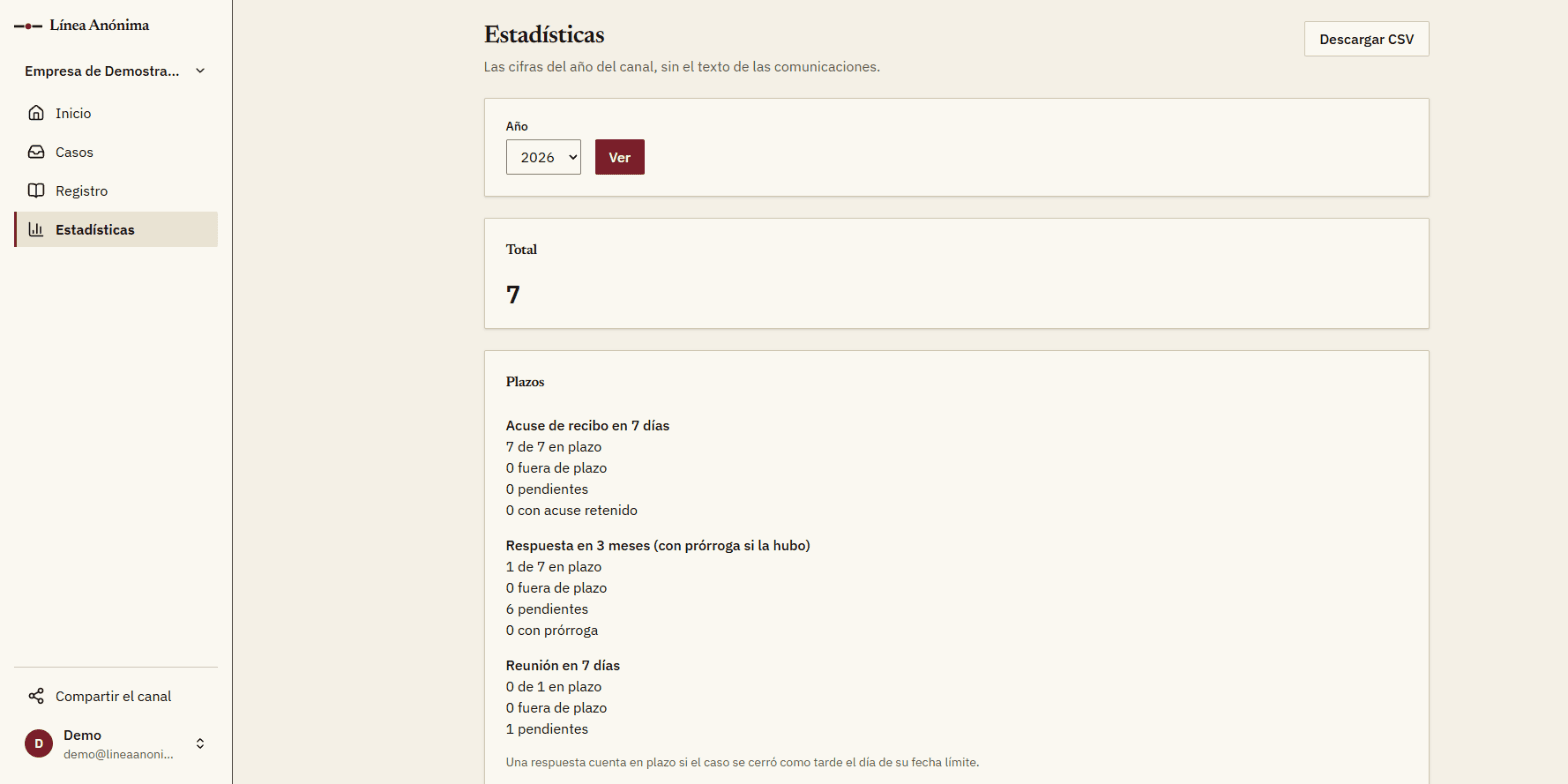
Statistics Demo data The year's figures, without the text of the reports: acknowledgements and replies on time, late and pending.
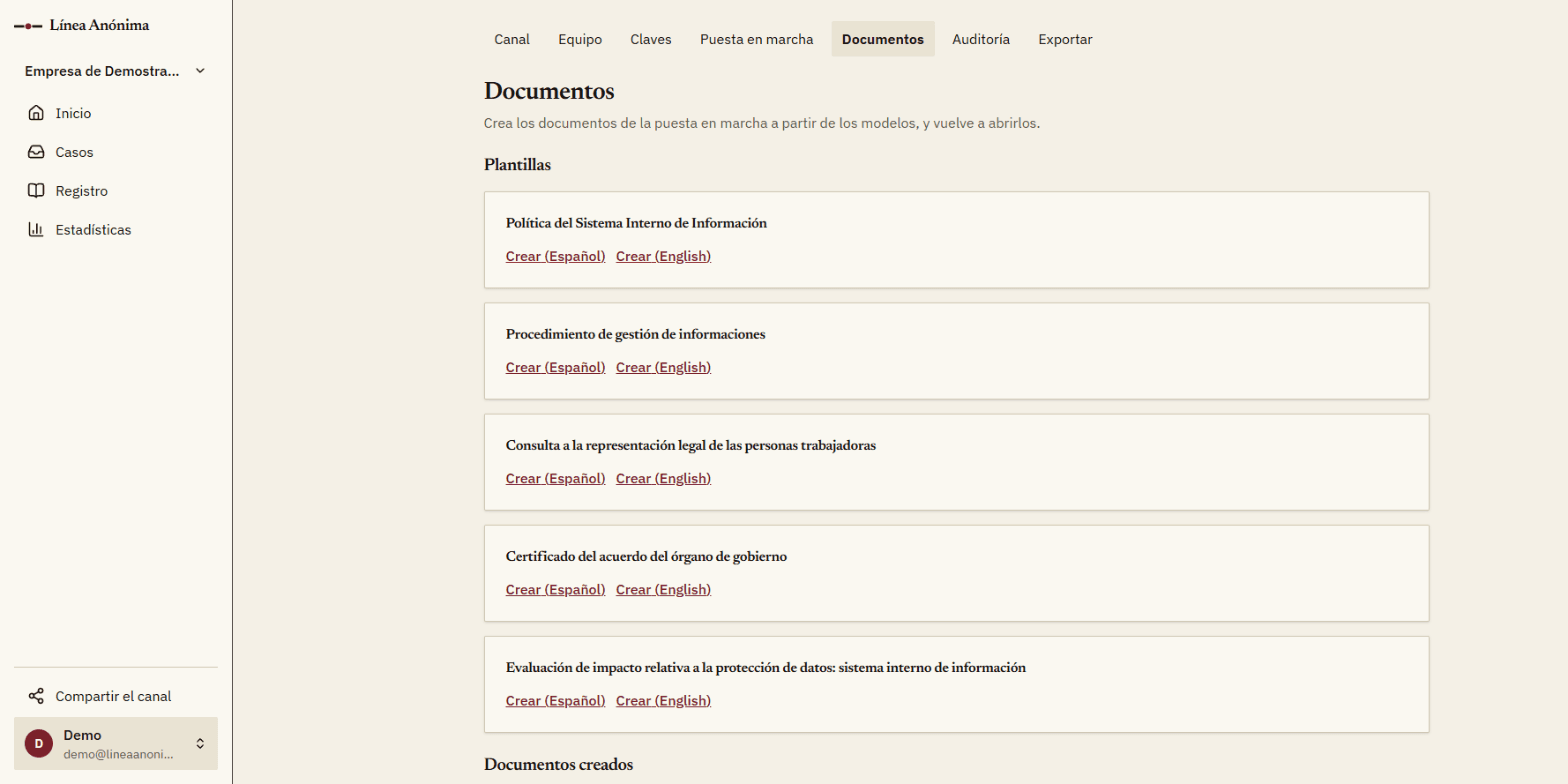
Documents Demo data Create from templates the policy, the procedure, the consultation of workers' representatives, the certificate of the resolution and the impact assessment, in Spanish or English.
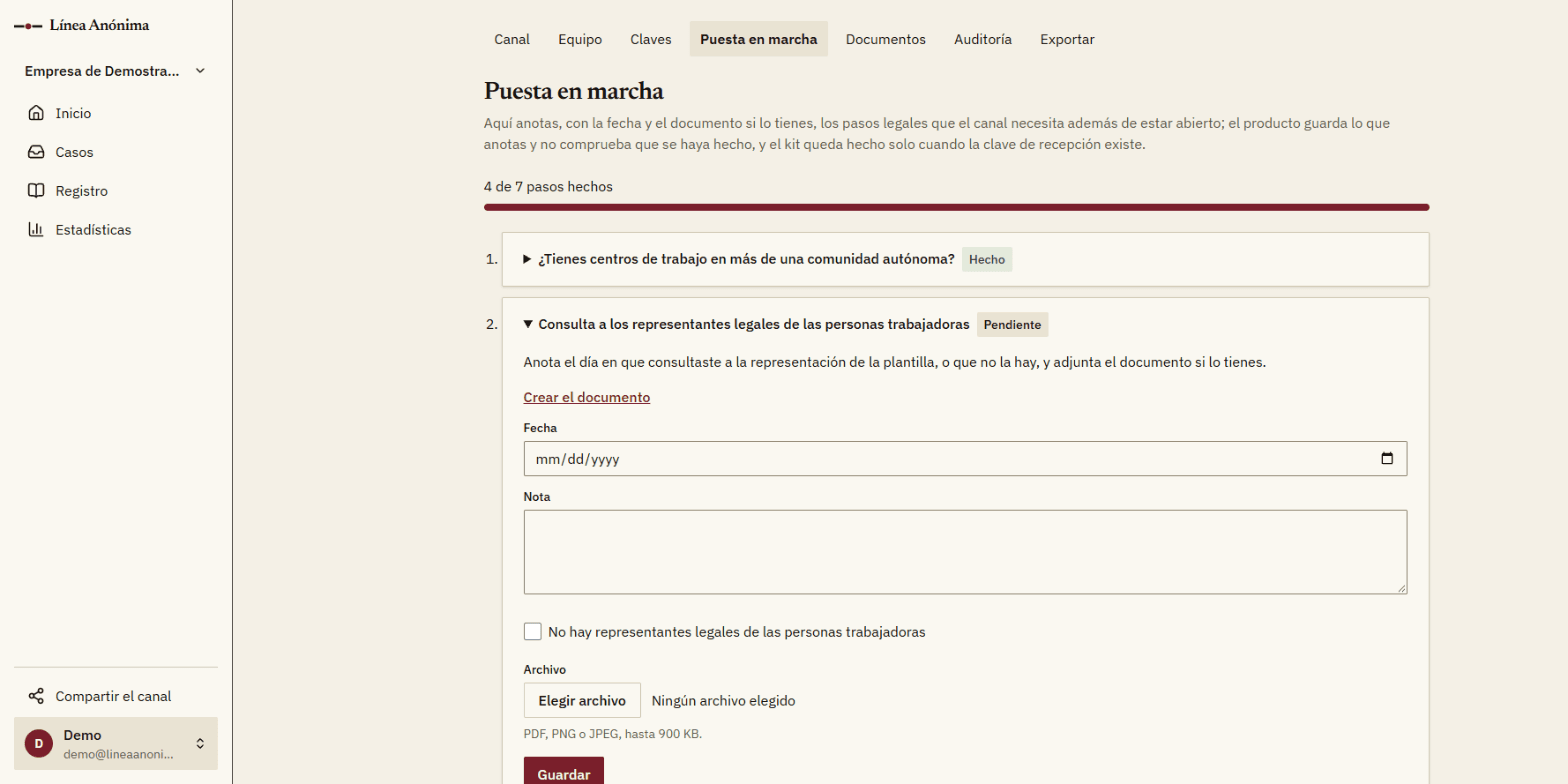
Set-up Demo data You record, with the date and the document, the legal steps the channel needs beyond being open. The product stores what you record and does not check that it was done.
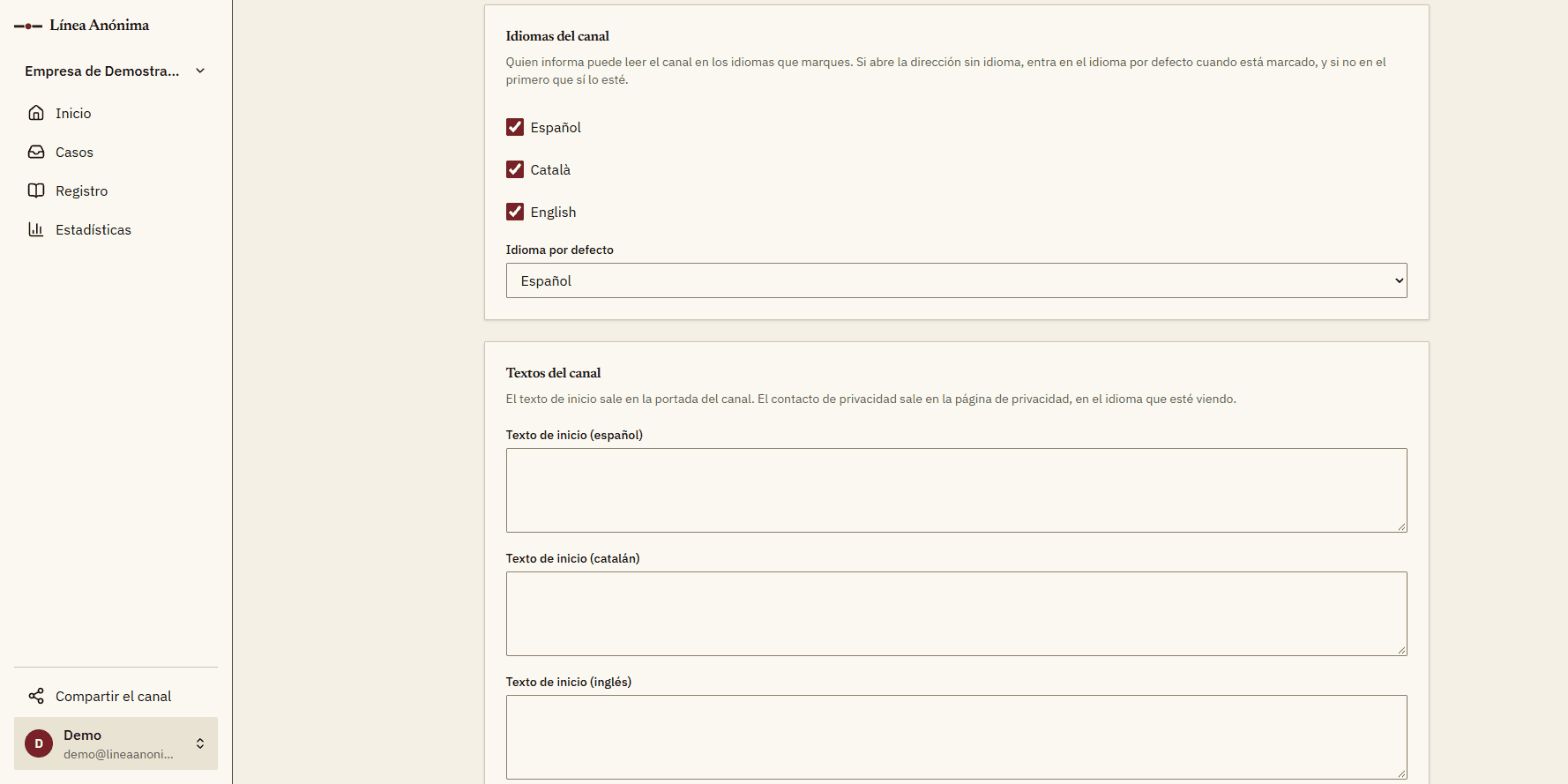
Channel languages Demo data Reporters can choose Spanish, Catalan or English. You write the welcome text and the privacy contact in each language.
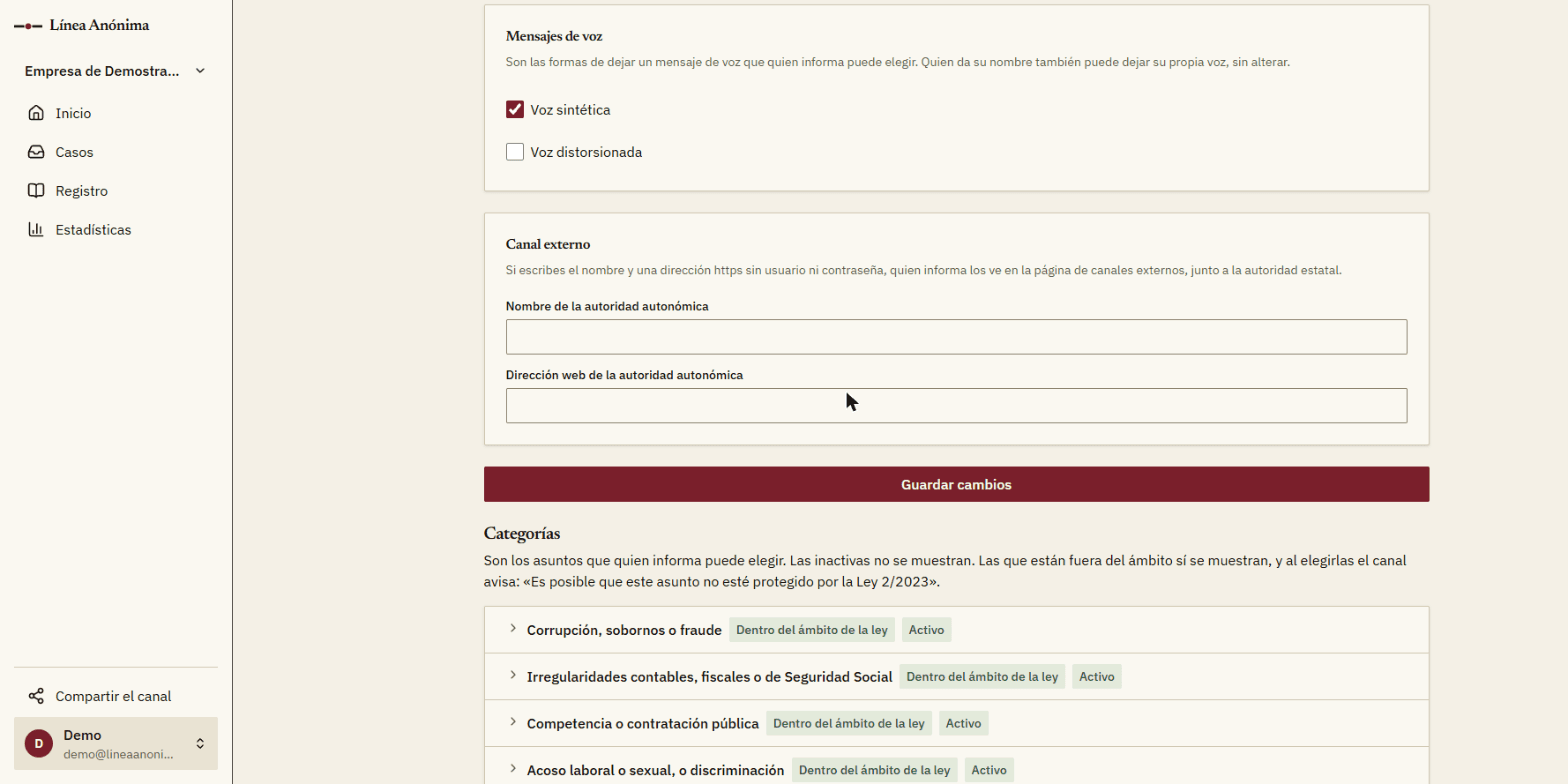
Voice and categories Demo data Voice messages with a synthetic or distorted voice, and categories inside and outside the scope of the law, with a warning when the matter may not be protected by Law 2/2023.
- 01
Anonymous reports
Reporters can come forward without identifying themselves. The channel accepts and handles anonymous reports, as article 7.3 requires.
- 02
Secure follow-up mailbox
Reporters can check the status of their case and answer the manager's questions without losing anonymity.
- 03
Written and verbal channel
Reports in writing or by voice, and requests for an in-person meeting within the 7-day limit, with a record of the content.
- 04
Case management
Each report is a case with its history, internal notes, documents and outcome, visible only to those who need to see it.
- 05
Automatic legal deadlines
A 7-day countdown for acknowledging receipt and a 3-month countdown for the reply, with alerts before they expire.
- 06
Libro-registro
A confidential register of reports received and investigations, ready to export.
- 07
Roles and permissions
Define who the system manager is and who else can access each case, with an access trail.
- 08
Branded access page
A public page that clearly identifies your company as the owner of the channel, with your policy and procedure in view.
- 09
Conflicts of interest
Whoever handles a case can declare a conflict of interest and set the person concerned aside from it, from the case itself.
- 10
Documents and set-up
Templates to create the policy, the procedure and the consultation of workers' representatives, and a list of the legal set-up steps.
- 11
Statistics and export
The year's figures without the content of the reports, the register as CSV or to print, and an export of everything as a ZIP prepared in your browser.
- 12
Access security
Two-step verification with a code from the phone, open sessions in view, and an audit log with a hash chain that flags any alteration.
Every account includes every feature; the price changes only with the number of workers. Ask for a demo to see them in action.